Your round is not in the list? Build it yourself. A custom round can use any of the more than 50 round types in the app, each with its own scoring, and up to 576 arrows. You shoot it like any other round, and it shows in your Journal.
You can also ask us to add a round: see How do I ask for a round?
This guide covers:
- Build the round
- Shoot your custom round
- Change or delete a custom round
- Clone a field, 3D, 2D or animal course
Build the round
- On the Score or Plot page, tap New Round (top right).
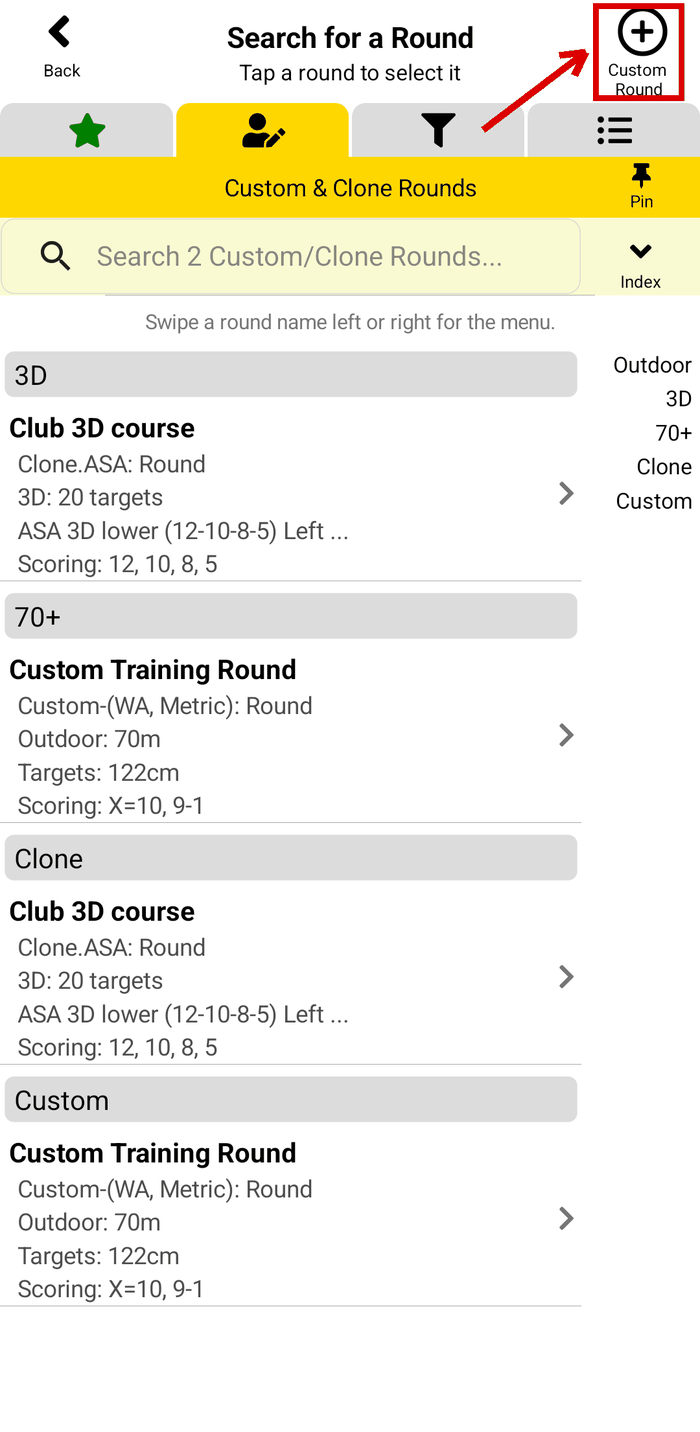
- On the Search for a Round page, tap Custom Round (top right). The Custom Round page opens.
- Type a Round Name.
- Tap Round Type and pick the scoring, for example Outdoor (WA, Metric): X=10, 9-1. Each round type shows its scoring and its target faces.
- Pick the Distance Unit: ft, m or yd.
- Type how many distances or targets to add, then tap Add. For example, type 2 and tap Add (2) #1 - #2.
Step 2: Custom Round
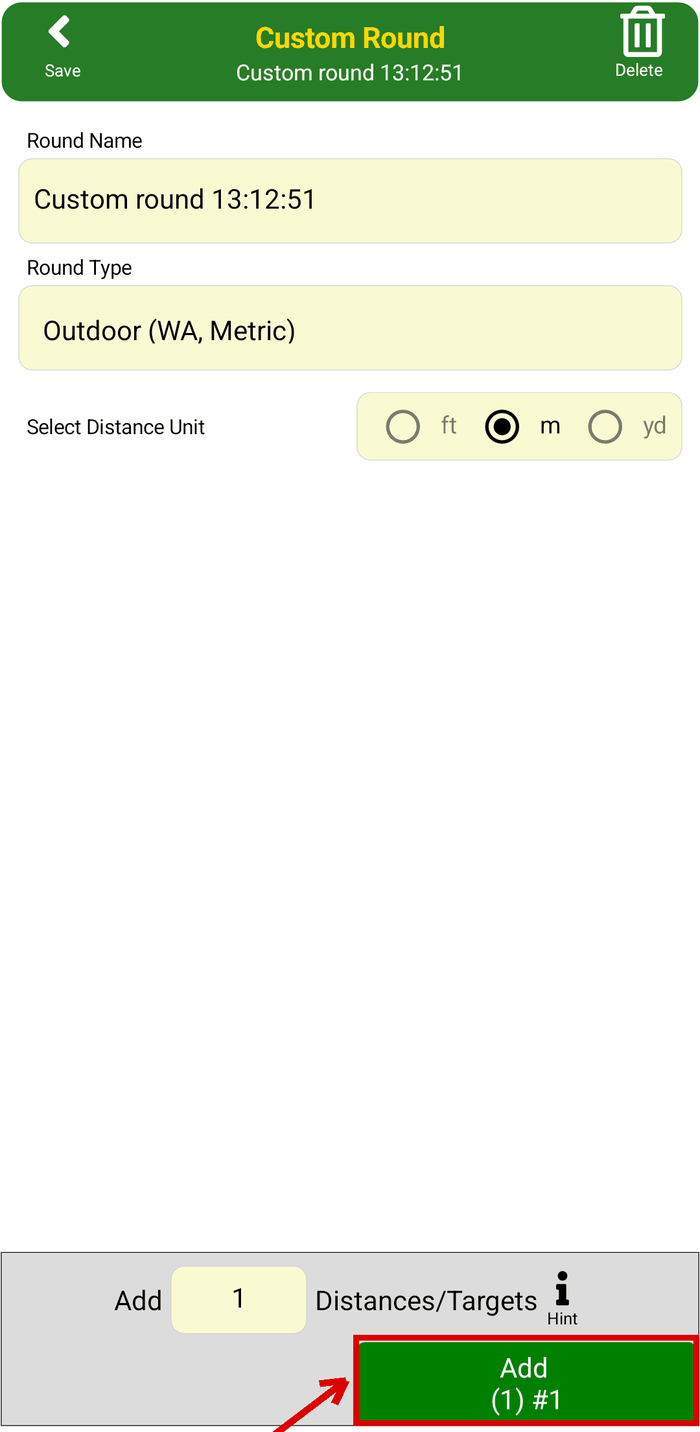
Steps 3 to 6: the Custom Round page
- For each distance, set the Distance to Target, the Number of Ends and the Arrows per End. Tap the target face to pick another one. The app shows the Arrow Count and the Max Score of each distance, and the Round Summary for the whole round.
- Tap Save (top left).
A new distance copies the details of the last one, so you change only what is different. To change the round type after you add a distance, first remove all the distances with Remove.
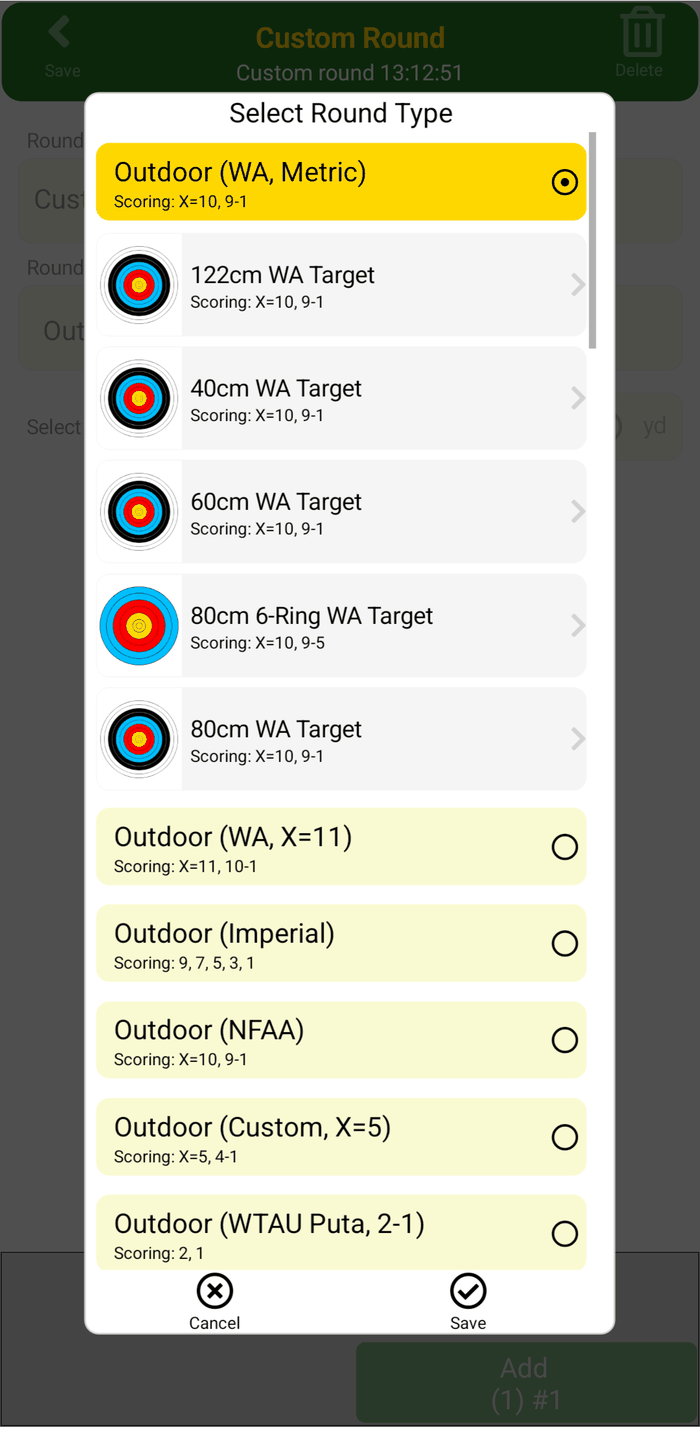
Step 4: Select Round Type
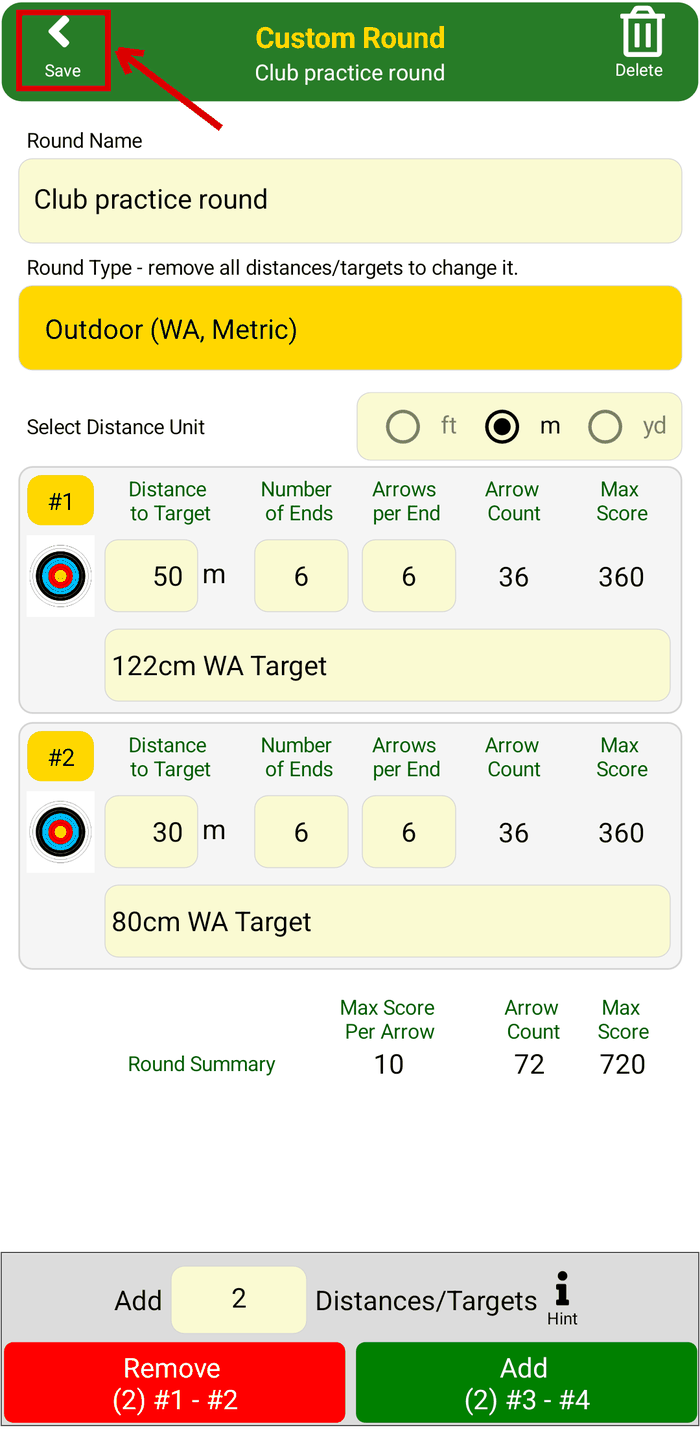
Steps 7 and 8: set each distance, then Save
Shoot your custom round
Your round is on the Custom & Clone Rounds tab of the Search for a Round page. Tap it to start it, the same as any round. See How to score a round.
To find it faster, add it to your favourites: see How to make a list of your favourite rounds.
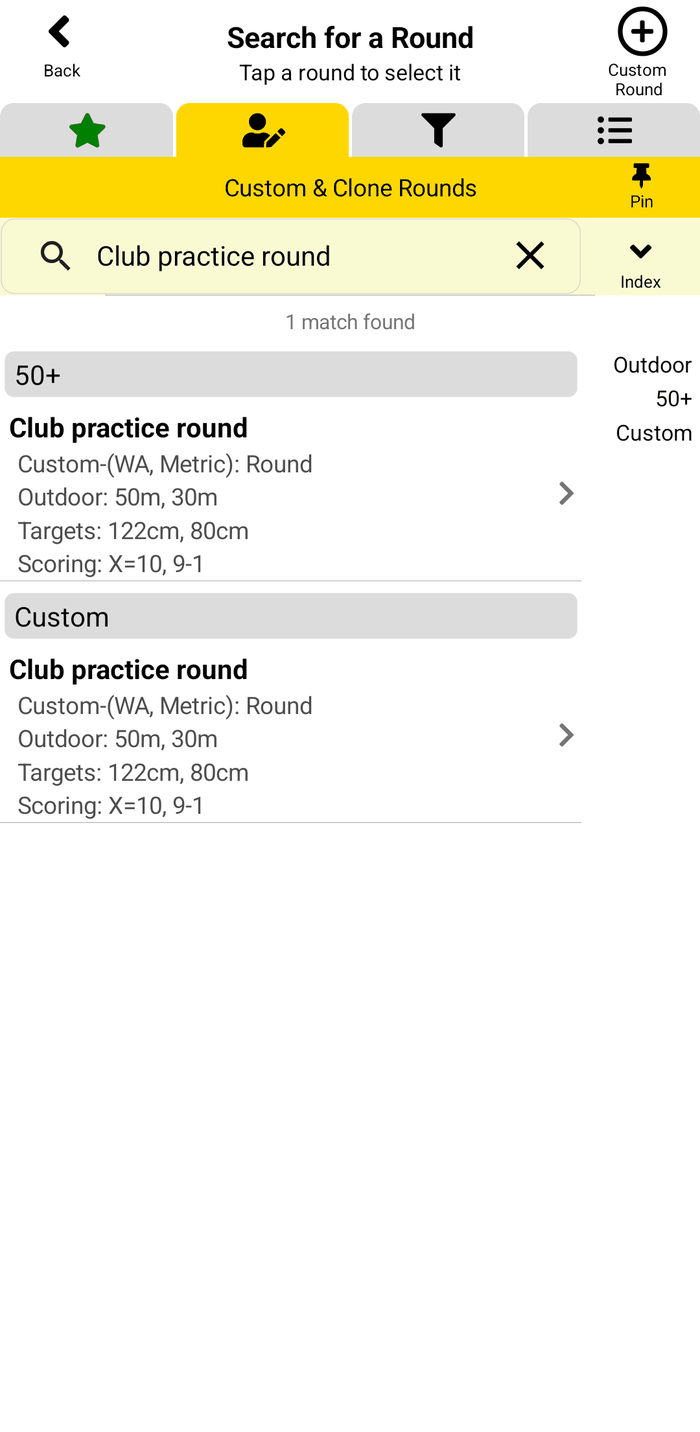
The saved round
Change or delete a custom round
On the Custom & Clone Rounds tab:
- Change it: swipe the round left and tap Edit.
- Delete it: swipe the round right and tap Delete, then Yes. The rounds you already shot stay in your Journal.
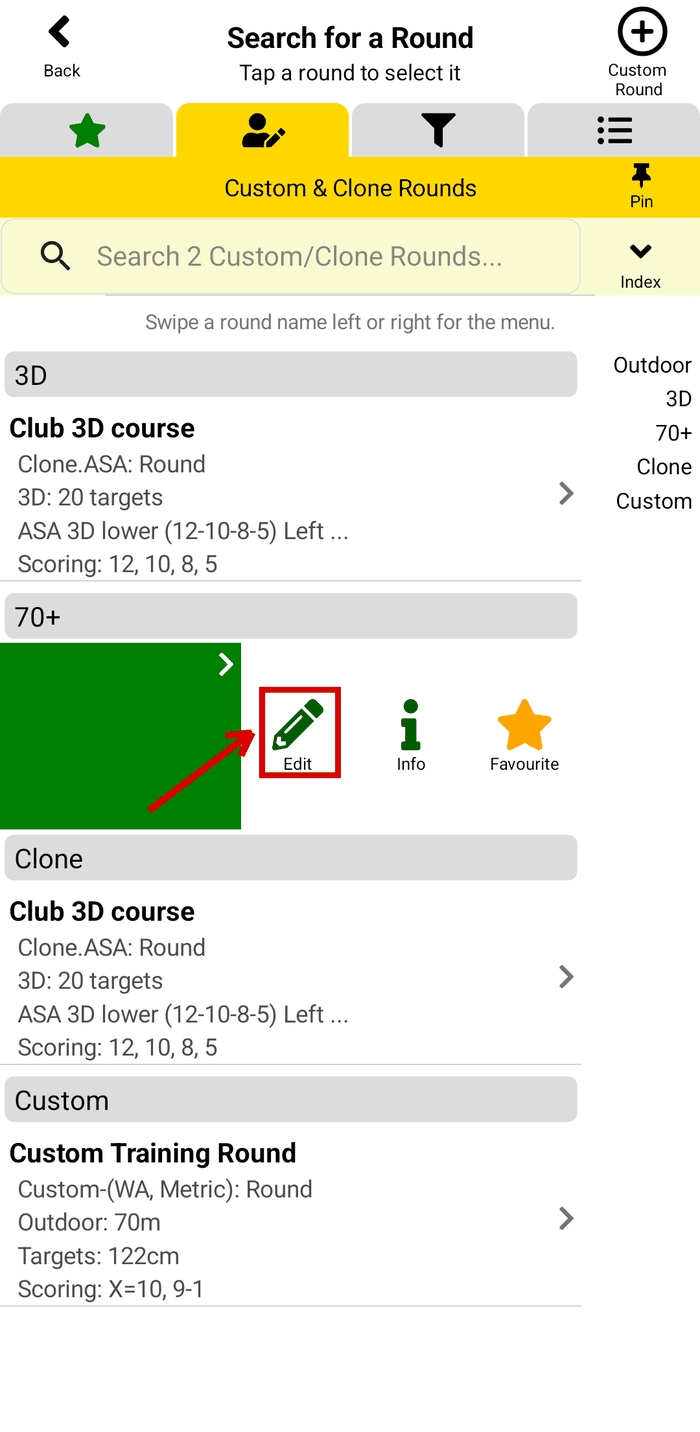
Swipe left: Edit, Info and Favourite
Clone a field, 3D, 2D or animal course
For field, 3D, 2D and animal rounds, and the Flint Bowman and Flint Indoor rounds, you can change the target details at each stake while you shoot. To shoot the same course again, clone the round you shot: the clone keeps your target details. See Clone a course to shoot it again.
What next?
- How to make a list of your favourite rounds - your rounds with one tap.
- How to score a round - start the round and score each end.
- Can I filter the list of rounds? - show only the round types and organisations you shoot.
Still stuck? See the Support page for more how-to guides, or contact us - we reply within 2 working days.