The app holds more than 950 rounds. Put the rounds you shoot most in the Favourite Rounds tab, and you find them with one tap.
This guide covers:
- Add a round to your favourites
- Put your main round at the top
- Make the Favourite Rounds tab open first
- Remove a round from your favourites
Add a round to your favourites
- On the Score or Plot page, tap New Round (top right). The Search for a Round page opens.
- Find the round, for example type Portsmouth in the search box.
- Swipe the round left and tap Favourite. The app shows "Added to favourites".
The Favourite Rounds tab is the first tab, with the star. You can also add a custom round: see How to make a custom round.
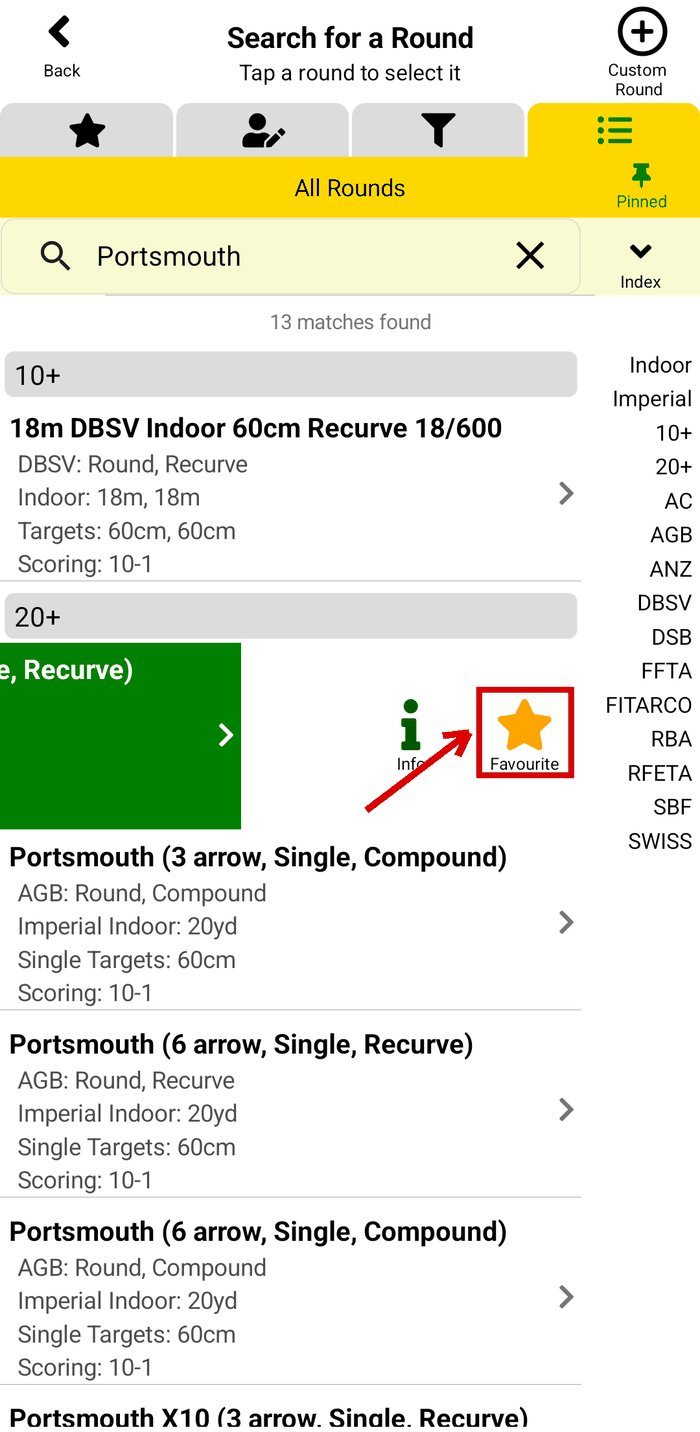
Step 3: swipe left, tap Favourite
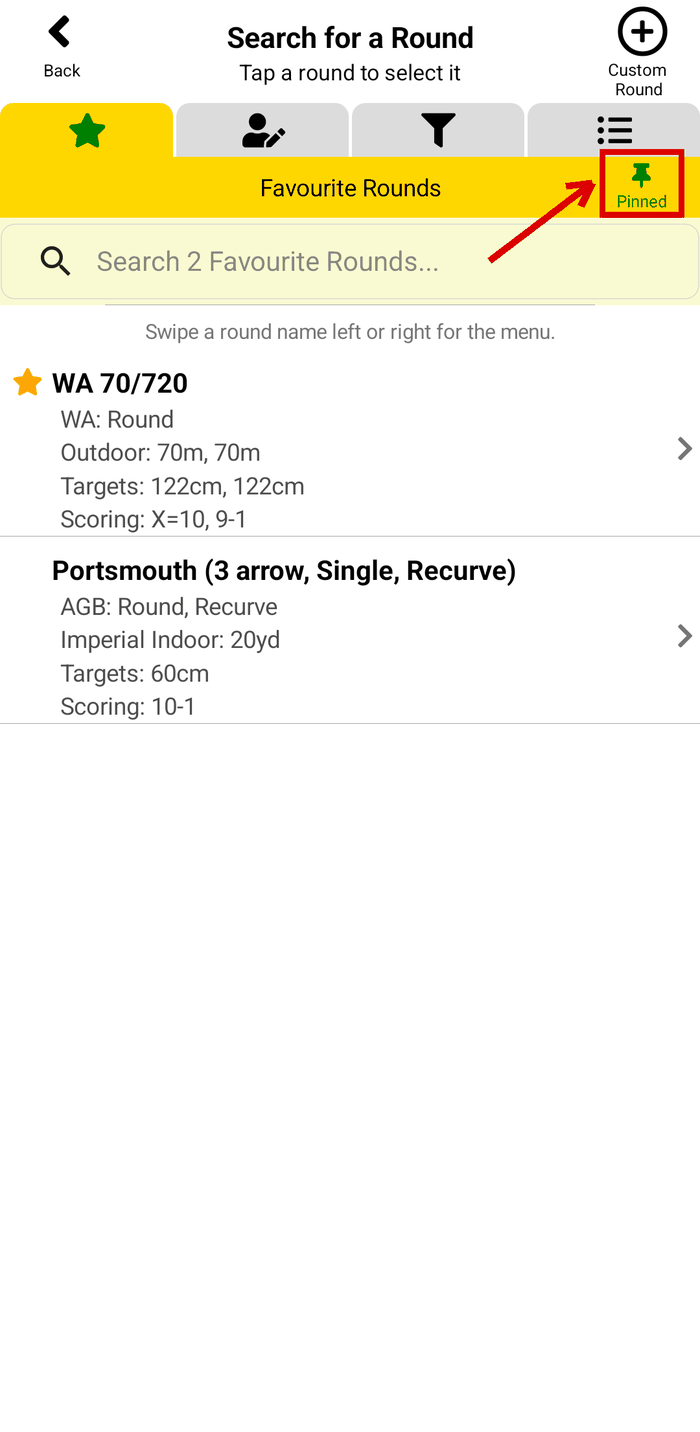
The Favourite Rounds tab
Put your main round at the top
- On the Favourite Rounds tab, swipe the round left.
- Tap Top. The round moves to the top of the list, and the app shows "is now your top favourite".
A star marks your top favourite.
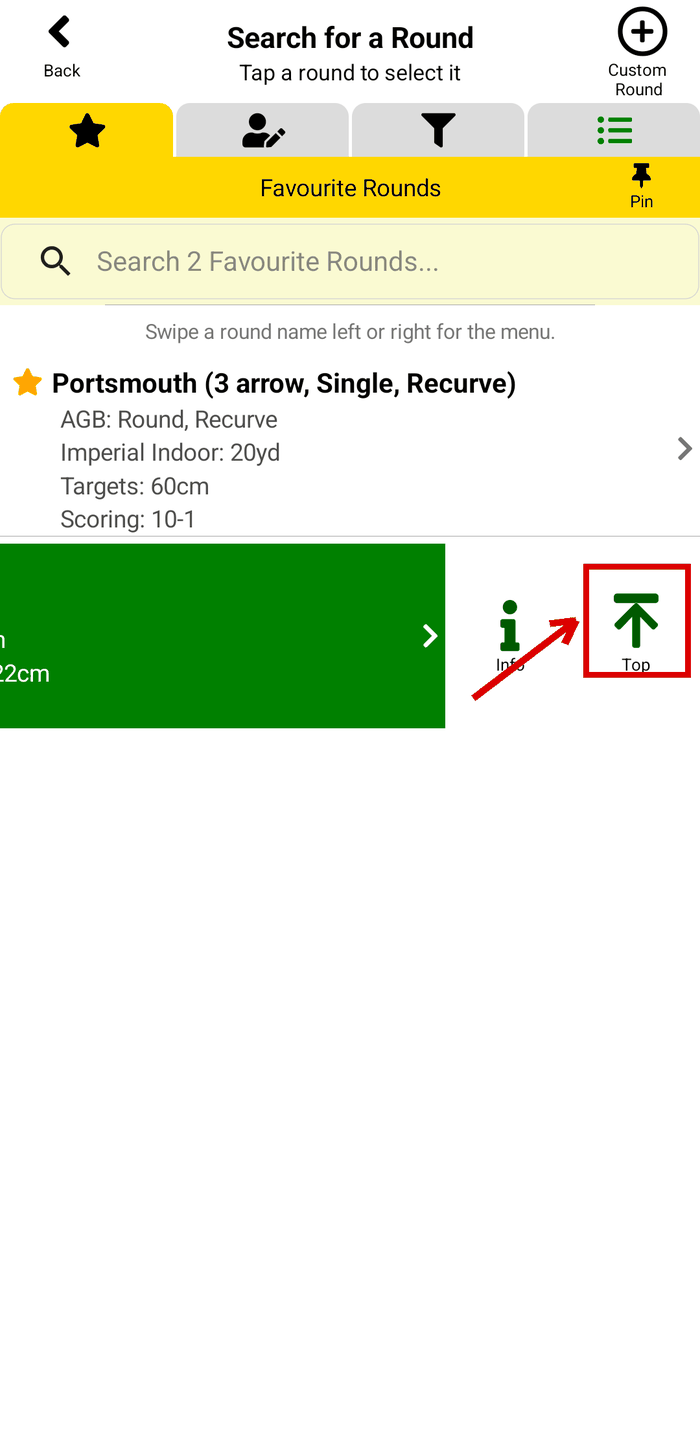
Step 2: tap Top
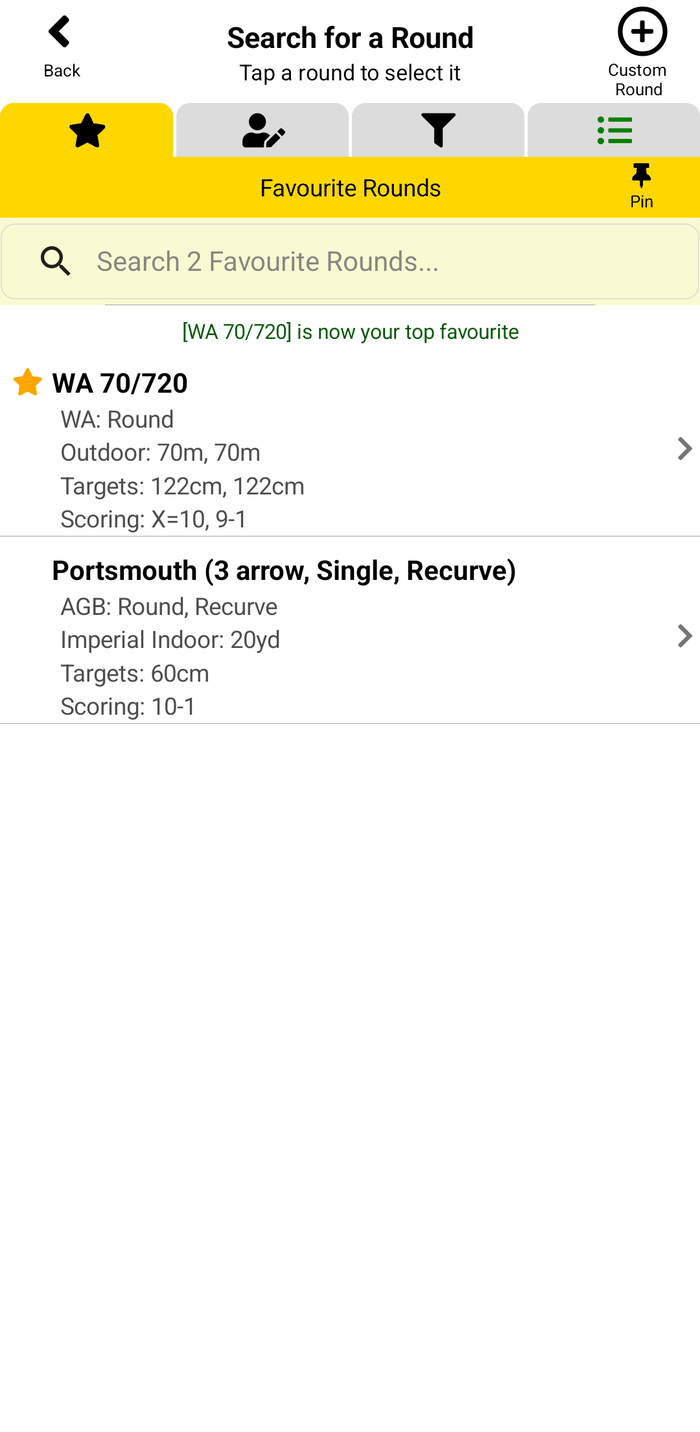
The star marks the top favourite
Make the Favourite Rounds tab open first
- Open the Favourite Rounds tab.
- Tap Pin on the right of the tab bar. It turns green and shows Pinned.
Now the Search for a Round page opens on your favourites. You can pin any of the 4 tabs: Favourite Rounds, Custom & Clone Rounds, Filtered Rounds or All Rounds.
Remove a round from your favourites
On the Favourite Rounds tab, swipe the round left or right and tap Remove. The round stays in the app. You must keep at least one favourite round.
What next?
- How to score a round - start the round and score each end.
- How to make a custom round - your round is not in the list?
- Can I filter the list of rounds? - show only the round types and organisations you shoot.
Still stuck? See the Support page for more how-to guides, or contact us - we reply within 2 working days.